


NovelaGo - Read Novels & Books
4.6807.00 Reviews
App Specs
- Version
- 2.0.4
- Updated On
- License
- Free
- Downloads
- 1,000,000+
- Developer
- Readink
- Categories
- Books & Reference
- Platform
- Android
Screenshots
 Analysis by AppCompare
When I’m choosing a reading app, I care about more than how many stories it can show me. I want it to feel quick to browse, comfortable for a short break, and dependable enough that I can pick up a story without turning reading into a chore. NovelaGo is aimed at readers who enjoy serialized fiction, especially romance, mafia, and billionaire stories. Its strengths are the easy-to-set-up reading experience and the appeal of having a steady stream of fiction in one place; its trade-offs matter most if you prefer a broad, carefully organized ebook library or want predictable costs.
Quick to open, slower to choose
Getting into a reading app should not require much effort, and NovelaGo’s simple starting layout helps keep the first step manageable. I like that the experience is centered on finding a story rather than learning a complicated tool. The app is free to install, and Readink is the developer behind it. Its Books & Reference placement makes sense for a fiction-reading app, while the Mature 17+ age rating is a clear reminder that it is intended for adults rather than younger readers.
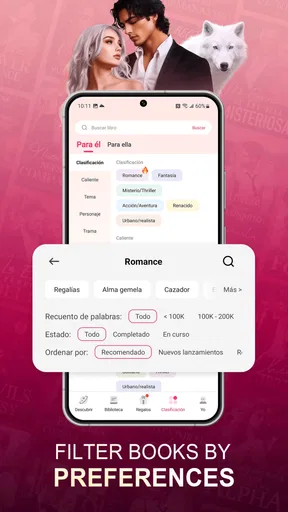
Browsing can still take longer than reading once the catalog offers many possible directions. If you open the app with no particular mood in mind, genre and theme choices can help narrow the field, but discovering a title you actually want may take some sampling. My practical tip is to decide what kind of story you want before you browse: a dramatic romance, a darker mafia plot, or a billionaire setup. That small choice gives the app’s focused identity a purpose and reduces aimless scrolling.
Built around ongoing fiction
The app’s clearest fit is readers who like to follow a story over time rather than finish a standalone book in one sitting. Its romance-centered positioning gives it a more specific feel than a general ebook reader, and that can be a benefit when you want familiar emotional stakes and a clear genre mood. I would reach for it during a commute, while waiting for an appointment, or in the few quiet minutes before bed, when a continuing story is easier to return to than a book that demands a long stretch of concentration.
That same focus is also a boundary. If your reading habits lean toward reference books, nonfiction, literary fiction, or a personal collection of ebooks from different sources, a general-purpose reading app or digital library is likely a better match. NovelaGo is most appealing when you want fiction selected and presented for in-app discovery, not when you need a universal shelf for every book you already own.
What a heavier reading session feels like
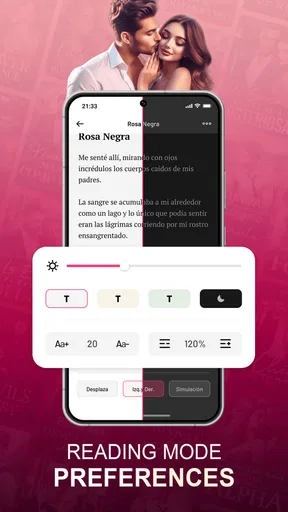
In a quick session, the important question is whether I can get from browsing to reading without repeated setup. In a longer one, comfort and continuity matter more: I want text that suits my eyes and a reading position that does not feel tiring. NovelaGo’s text and display adjustments are useful here. I would set font size and background before settling in for a longer chapter, rather than repeatedly changing them once I am absorbed. It is a small workflow improvement, but it makes a phone feel less like a bright screen and more like a reading surface.
For a realistic everyday routine, imagine opening a story during a lunch break, reading a little, then returning to it at home later. A focused reading app can make that habit easy to maintain because the next step is obvious: continue the fiction you chose. The limitation is that long sessions still depend on the phone’s screen, battery, and your own comfort. The app’s reading controls can help with legibility, but they cannot turn a small display into a large e-reader, so I would not choose it as my only option for hours of daily reading if eye comfort is a major concern.
Worth Reading Before You Choose

Baby Panda World Brings Quick Play to Modern Phones, but Its Game Library Feels Busy

ESPN’s Live Game View Makes Following Close Games Easier

QuizzLand Review: A Good Fit for Short Trivia Breaks, Not Every Player

Basketball Stars: Multiplayer Is Fast, but Can It Recover When Matches Go Wrong?

WEBTOON Turns Phone Updates Into a Better Reading Routine

Link to Windows Runs on Shared Habits, Not Social Feeds
Reliability and practical expectations
I would describe the app’s performance expectations cautiously: the reading format is not inherently demanding in the way a graphically intensive game can be, but speed and stability can still vary with a device, network connection, and the amount of browsing involved. Loading a catalog or moving between online content may feel different from reading text already on screen. If something seems slow, I would first check whether the connection is the likely bottleneck before assuming the reading experience itself is at fault.
For interruptions, the useful habit is to make reading choices before you know you will be offline. The app’s offline-reading option can be helpful for a flight, a train ride through patchy coverage, or a place where you would rather not rely on a connection. I would prepare the story while online and check that it is available before leaving. That is more reliable than waiting until a signal has disappeared and assuming every title will be ready automatically.
Costs, ratings, and who should try it
There is no charge to install NovelaGo, but the app also offers in-app purchases, with individual items ranging from $0.49 to $299.99. That is a wide span, so I would treat optional spending as something to inspect carefully rather than assume that a free install means every reading path will stay free. Before committing to a purchase, check what it covers and whether it fits how you actually read. Readers who like to sample a story and move on may want to be especially deliberate about small purchases that can add up over time.
The app has a 4.6 average from around 43,000 ratings, and it has passed a million installs. Those figures suggest that many readers have tried it, but they cannot tell you whether its particular genres match your taste. I’d recommend giving it a look if you enjoy serialized romance or dramatic relationship plots and want a reading app with built-in discovery. I’d skip it if you are looking for a free, comprehensive replacement for a paid ebook library, or if you are uncomfortable with optional in-app spending.
Getting Started with NovelaGo
First things first, downloading NovelaGo is a breeze. Whether you’re on Android or iOS, just head over to your app store, and you’ll find it waiting for you. After a quick install, you’re greeted with a clean, user-friendly interface that doesn’t overwhelm you with too many options. It's like entering a library with a friendly librarian ready to guide you.
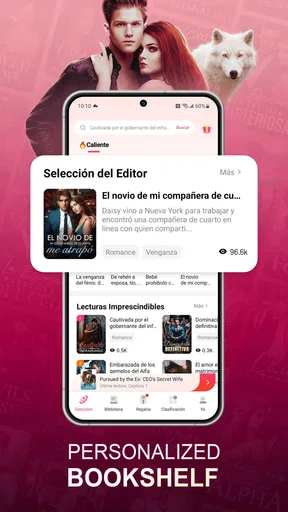
Once you’ve signed up or logged in, you can customize your reading journey right from the start. Choose from different genres, authors, or even specific themes that tickle your fancy. It’s like setting up your own personal bookshelf without the need for dusting.
Features That Make It Stand Out
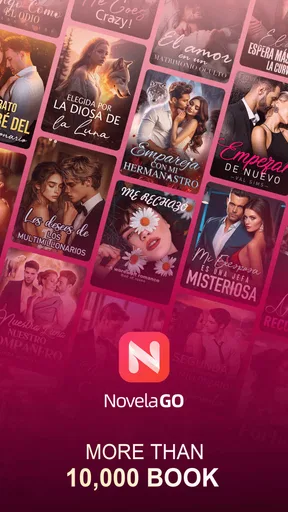
One of the standout features of NovelaGo is its vast collection of novels and books. From romance to thriller, fantasy to non-fiction, it’s like a treasure trove for readers. You can even find some exclusive titles that you won’t easily get elsewhere. The app ensures you’re never short of material to read, which is a dream come true for avid readers like myself.
Another cool feature is the customization of your reading experience. You can adjust the font size, background color, and even the screen brightness for those late-night reading sessions under the covers. It’s these little touches that make the app feel so accommodating and, dare I say, cozy.
Interactivity and Community
But wait, there’s more! NovelaGo isn’t just about solitary reading. It has a lively interactive component where you can join discussions, leave comments, and even interact with authors. It’s like being part of a book club without having to leave your couch. I found this feature particularly engaging, as it adds a social aspect to what is traditionally a solitary activity.
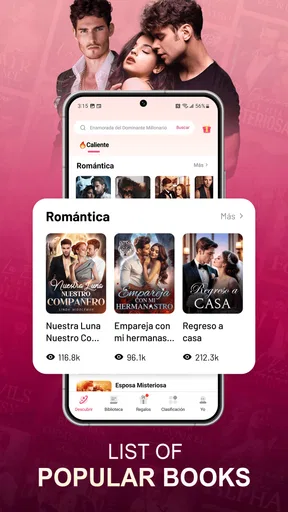
If you’re into discovering new trends or books that are currently the talk of the town, the app’s trending section keeps you updated with what’s hot and what’s not. It’s like having a personal book advisor that knows exactly what you might like.
Subscription and Access
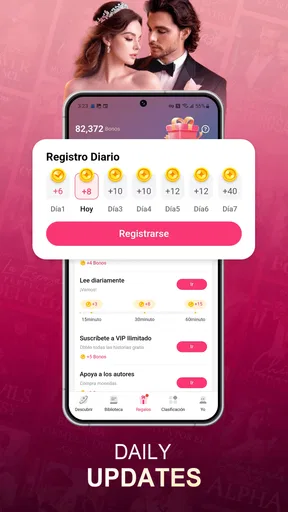
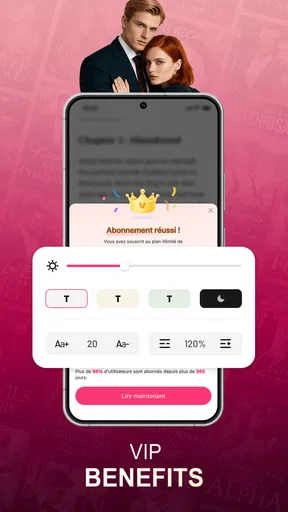
Now, let's talk about access. While NovelaGo offers a lot of free content, there are also premium options available for those who want an even richer experience. The subscription gives you ad-free access and some extra perks, like early access to new releases. It’s like having a VIP pass to an exclusive book club.
And for those who worry about connectivity issues, NovelaGo has thought of this too. You can download books for offline reading, ensuring your favorite stories are always at your fingertips, even when Wi-Fi is not.
Final Thoughts
To wrap it up, NovelaGo has impressed me with its comprehensive library, customizable features, and interactive community. It feels like the app was designed with readers in mind, catering to both casual and hardcore book lovers. Whether you’re looking to escape into a fantasy world or indulge in a romantic saga, this app has got you covered.
So, if you’re a fellow bookworm searching for your next great read or just want a convenient way to explore new books, give NovelaGo a try. It might just become your new favorite reading companion.
Pros
- Huge library of diverse genres.
- Offline reading available.
- User-friendly interface.
- Regularly updated content.
- Customizable reading settings.
Cons
- Contains ads in the free version.
- Subscription required for premium.
- Limited free chapter access.
- No audiobook option.
- Some novels have translation issues.
FAQs for NovelaGo - Read Novels & Books
What is NovelaGo and what features does it offer?
NovelaGo is a digital reading platform designed for novel enthusiasts. It offers a vast library of novels and books across various genres. Key features include offline reading, personalized recommendations, and customizable reading settings. Users can also interact with a community of readers and writers, making it a dynamic space for literary discussion.
Is NovelaGo available for both Android and iOS devices?
Yes, NovelaGo is available for download on both Android and iOS platforms. Users can find the app on the Google Play Store and the Apple App Store, ensuring compatibility with a wide range of devices. This availability allows users to enjoy their favorite novels on any smartphone or tablet.
What are the pros and cons of using NovelaGo?
Pros include a diverse selection of novels, user-friendly interface, and offline reading options. Additionally, it offers personalized book suggestions based on user preferences. However, cons might include the presence of in-app purchases and ads, which could interrupt the reading experience for some users. Subscription options may also be required for premium content.
Are there any costs associated with using NovelaGo?
NovelaGo is free to download, but it operates on a freemium model. While many novels are available for free, some premium content may require in-app purchases or a subscription. Ads may also be present in the free version. Users seeking an ad-free experience with full access might consider subscribing.
How does NovelaGo ensure a personalized reading experience?
NovelaGo uses advanced algorithms to learn reader preferences and suggest novels accordingly. Users can set their reading preferences, such as font size and background color, for a customized experience. The app's recommendation engine continually updates to provide new suggestions based on user activity, making each reading session unique.


